


Page 26 - Gear Technology Solutions
P. 26
Case 3 – Tooth Thickness at Pitch Point
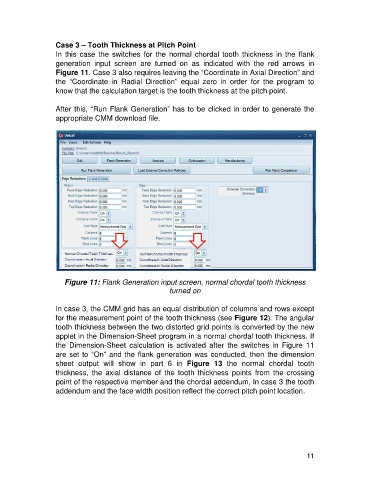
                   In  this  case  the  switches  for  the  normal  chordal  tooth  thickness  in  the  flank
                   generation  input  screen  are  turned  on  as  indicated  with  the  red  arrows  in
                   Figure 11. Case 3 also requires leaving the “Coordinate in Axial Direction” and
                   the  “Coordinate  in  Radial  Direction”  equal  zero  in  order  for  the  program  to
                   know that the calculation target is the tooth thickness at the pitch point.

                   After this, “Run Flank Generation” has to be clicked in order to generate the
                   appropriate CMM download file.


                      Figure 11: Flank Generation input screen, normal chordal tooth thickness
                                                         turned on

                   In case 3, the CMM grid has an equal distribution of columns and rows except
                   for the measurement point of the tooth thickness (see Figure 12). The angular
                   tooth thickness between the two distorted grid points is converted by the new
                   applet in the Dimension-Sheet program in a normal chordal tooth thickness. If
                   the  Dimension-Sheet  calculation  is  activated  after  the  switches  in  Figure  11
                   are set to “On” and the flank generation was conducted, then the dimension
                   sheet  output  will  show  in  part  6  in  Figure  13  the  normal  chordal  tooth
                   thickness,  the  axial  distance  of  the  tooth  thickness  points  from  the  crossing
                   point of the respective member and the chordal addendum, In case 3 the tooth
                   addendum and the face width position reflect the correct pitch point location.


                                                                                                      11

