


Page 24 - Gear Technology Solutions
P. 24
Case 1 – No CMM Coordinate File Available
                   If the Dimension-Sheet calculation is started without the presence of a CMM
                   coordinate file for this job, then the tooth thickness section in the Dimension-
                   Sheet will display the following message, also shown at the bottom of Figure 5:


                   Case 2 – Standard CMM Coordinate File Available
                   In this case a download file with a grid as it is shown in Figure 7 is available at
                   the  time  the  Dimension-Sheet  calculation  starts.  If  the  switch  for  the  tooth
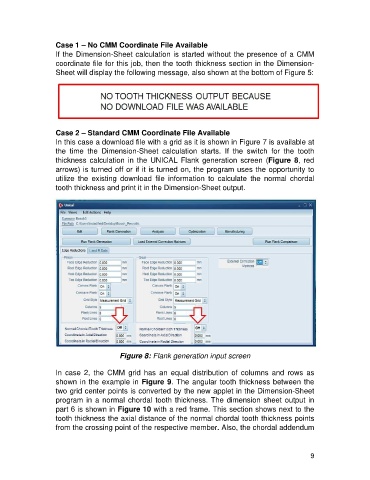
                   thickness  calculation  in  the  UNICAL  Flank  generation  screen  (Figure  8,  red
                   arrows) is turned off or if it is turned on, the program uses the opportunity to
                   utilize  the  existing  download  file  information  to  calculate  the  normal  chordal
                   tooth thickness and print it in the Dimension-Sheet output.


                                         Figure 8: Flank generation input screen

                   In  case  2,  the  CMM  grid  has  an  equal  distribution  of  columns  and  rows  as
                   shown in the example in Figure 9. The angular tooth thickness between the
                   two grid center points is converted by the new applet in the Dimension-Sheet
                   program in a normal chordal tooth thickness. The dimension sheet output in
                   part 6 is shown in Figure 10 with a red frame. This section shows next to the
                   tooth thickness the axial distance of the normal chordal tooth thickness points
                   from the crossing point of the respective member. Also, the chordal addendum


                                                                                                        9

