


Page 437 - Gear Technology Solutions
P. 437
30.5  Straight Bevel Gear and Face Gear Cutting and Grinding with
                          the Original Coniflex Process, Using Uniflex

                   A new switch has been added in the Uniflex summary input screens. By acti-
                   vating this switch the Uniflex motions change to a regular Coniflex roll-only or a
                   plunge-roll process. The swing motion is not used in this case. Instead of the
                   swing rates, a special input section allows to enter plunge and roll rates.


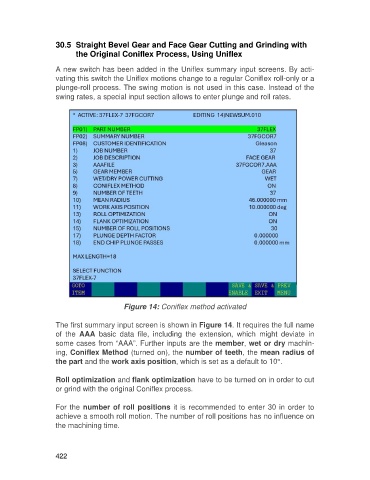
                                          Figure 14: Coniflex method activated

                   The first summary input screen is shown in Figure 14. It requires the full name
                   of  the  AAA  basic  data  file,  including  the  extension,  which  might  deviate  in
                   some cases from “AAA”. Further inputs are the member, wet or dry machin-
                   ing, Coniflex Method (turned on), the number of teeth, the mean radius of
                   the part and the work axis position, which is set as a default to 10°.

                   Roll optimization and flank optimization have to be turned on in order to cut
                   or grind with the original Coniflex process.

                   For the number of roll positions it is recommended to enter 30 in order to
                   achieve a smooth roll motion. The number of roll positions has no influence on
                   the machining time.


                   422

