


Page 395 - Gear Technology Solutions
P. 395
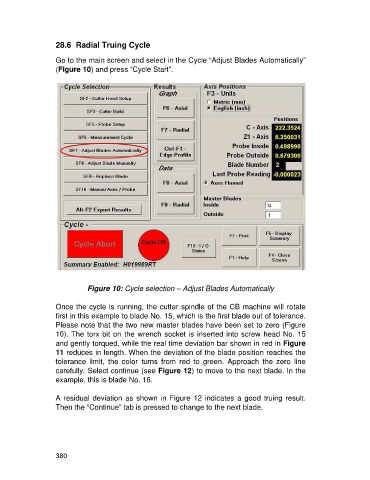
28.6  Radial Truing Cycle

                   Go to the main screen and select in the Cycle “Adjust Blades Automatically”
                   (Figure 10) and press “Cycle Start”.


                              Figure 10: Cycle selection – Adjust Blades Automatically

                   Once the cycle is running, the cutter spindle of the CB machine will rotate
                   first in this example to blade No. 15, which is the first blade out of tolerance.
                   Please note that the two new master blades have been set to zero (Figure
                   10). The torx bit on the wrench socket is inserted into screw head No. 15
                   and gently torqued, while the real time deviation bar shown in red in Figure
                   11 reduces in length. When the deviation of the blade position reaches the
                   tolerance  limit,  the  color  turns  from  red  to  green.  Approach  the  zero  line
                   carefully. Select continue (see Figure 12) to move to the next blade. In the
                   example, this is blade No. 16.

                   A residual deviation as shown in Figure 12 indicates  a good truing result.
                   Then the “Continue” tab is pressed to change to the next blade.


                   380

